文本代码编辑器 IDM UEStudio v23.2.0.27 x86 x64
UEStudio 包括 UltraEdit 的所有功能,以及对超过 30 种流行编译器(包括 Microsoft Visual C++、Java、GNU C/C++、PHP、Perl 和其他 30 多种编译器)的本机支持、集成调试器、集成 VCS 版本控制、内置类浏览、语言智能(类似于 Intellisense)、项目转换器和批生产器…这些只是高级功能中的一部分。请立即下载免费试用版,开始构建自己的项目,并在全球最佳文本编辑器 UltraEdit 的坚实基础上充分发挥完整 IDE 的功能!
程序员使用的编辑器或代码编辑器是一款强大 IDE 的重要组成部分。它是任何 IDE 的核心基础。UEStudio 基于著名的 UltraEdit 进行构建。同样,程序的主干非常成熟和稳定,并且已经被证实成为文本和程序编辑器的事实标准。
正因为 UltraEdit 是如此强大,我们的很多用户因此将其作为 IDE 来使用,并向我们提出功能扩展的需求。我们将这些需求、自己的想法以及超强 IDE 的理念综合考虑,制作了一款强大的应用程序,它拥有激动人心的崭新功能,例如对 30 多种流行编译器的本机支持,集成 CVS 版本控制,内置类浏览,语言智能(类似于 Intellisense),项目转换器,批生成器以及集成调试器——这些只是其中的一部分功能!
UEStudio 特别为Windows系统进行软件开发而设计,是一个强力的程序设计平台。
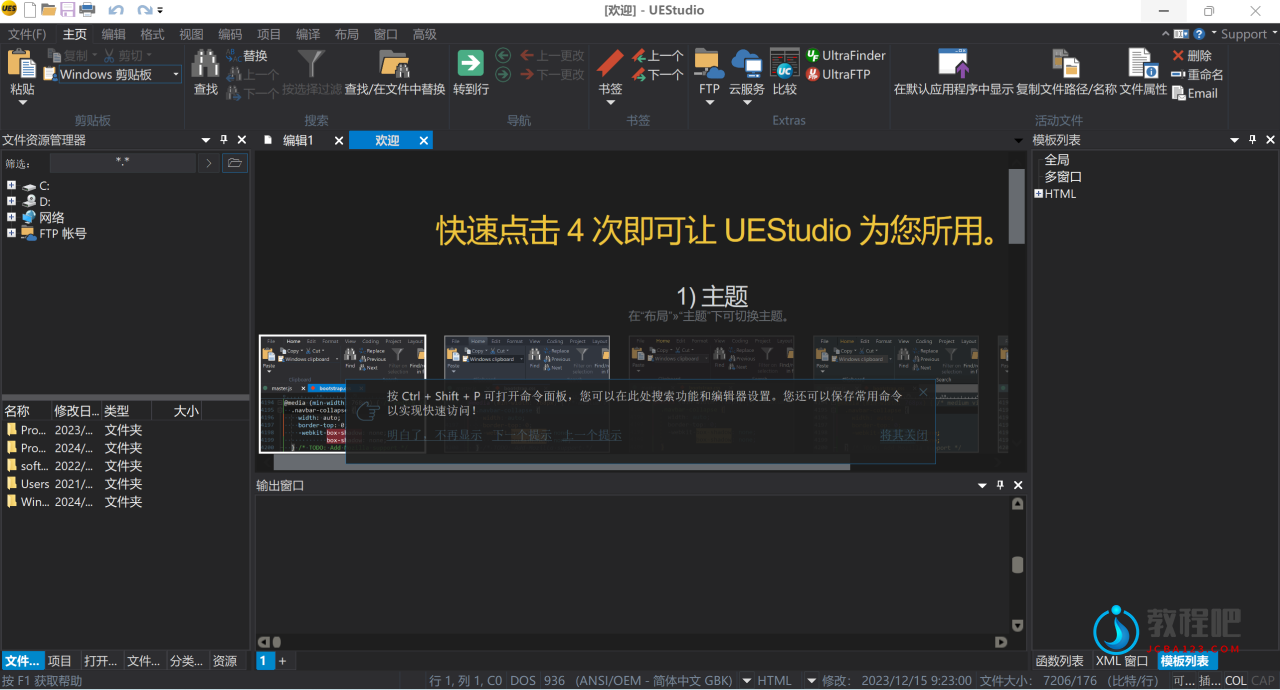
UEStudio – built upon the world’s best text editor, UltraEdit.
UEStudio delivers additional features for teams and developers – like deep Git integration.
Multi-caret editing, multi-select & more
UEStudio’s text editing features make editing lists and columns an intuitive experience, not the exercise in tedium it used to be. With features like multi-caret editing, column/block editing and multi-select, it’s a simple text editor when you want it to be, and a multi-cursor power editor when you need it to be.
Your code editor, your way
The environment you work in is a personal thing. And with UEStudio’s deeply customizeable new menuing system, your perfect in-app menu awaits. This interface allows you to switch between a full ribbon, compact ribbon and menu/toolbar system, all with only the buttons you’d like.
Version control, FTP & more developer features
UEStudio supports syntax highlighting for hundreds of languages, with more always in the works. And with its integrated Git interface, SVN, FTP, scripting and Smart Templates, UEStudio’s ready for any coding session, even if you just need it to look pretty.
See more at once:split your view of files
Now this is slick…click and drag a file tab to split it out into its own view – horizontally or vertically. Grab the active file’s splitter at top right and drag it down for a split view of the same file. See your HTML, JS, CSS, and other resources all at once. Boom.
Now includes UltraCompare for free
That’s right – UEStudio now includes UltraCompare Professional at no extra cost! UC Pro offers 2 and 3 way file compare, folder compare, hex compare, table/Excel compare, merging, local/remote sync, version control integration (Subversion, Git, etc.), and a whole lot more. See more here.
Home Page: https://www.ultraedit.com/products/uestudio/
下载地址
文本代码编辑器 IDM UEStudio v23.2.0.27 x86 x64
https://pan.quark.cn/s/c5dc3d852255
https://www.123pan.com/s/PjcA-ufRRA.html
http://ctfile.luochenzhimu.com/d/13552432-59642362-6fc902
https://pan.baidu.com/s/11bIZEitjFvUW0p2wP5DtbA?pwd=rdp5
官方最新版下载:
简体中文:
https://downloads.ultraedit.com/main/ues/win/ues_chinese.exe
https://downloads.ultraedit.com/main/ues/win/ues_chinese_64.exe
繁体中文:
https://downloads.ultraedit.com/main/ues/win/ues_chinese_traditional.exe
https://downloads.ultraedit.com/main/ues/win/ues_chinese_traditional_64.exe
English:
https://downloads.ultraedit.com/main/ues/win/ues_english.exe
https://downloads.ultraedit.com/main/ues/win/ues_english_64.exe
其他语言下载:https://www.ultraedit.com/downloads/uestudio-download/