html+css+js实现网页中广告块代码
html+css+js实现网页中广告块代码
方法/步骤
-
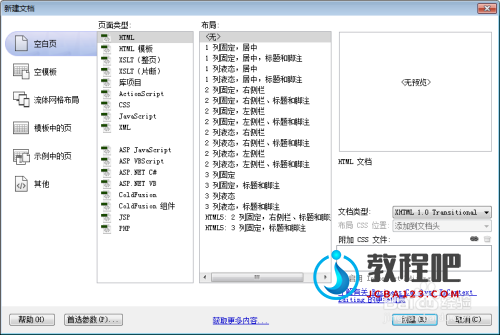
新建html文档。
-
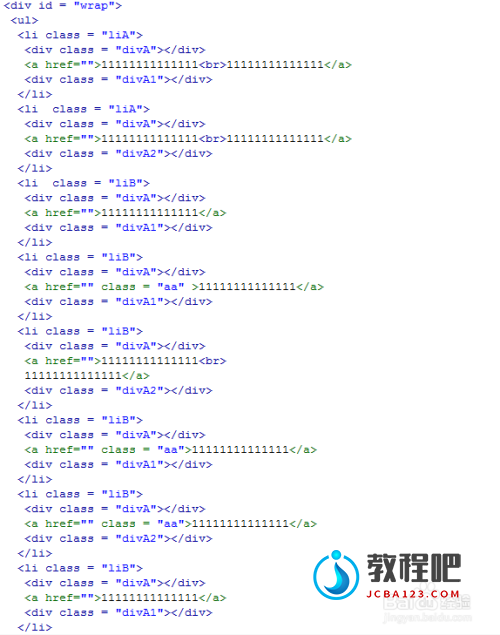
书写hmtl代码。 <div id = "wrap"> <ul> <li class = "liA"> <div class = "divA"></div> <a href="">11111111111111<br>11111111111111</a> <div class = "divA1"></div> </li> <li class = "liA"> <div class = "divA"></div> <a href="">11111111111111<br>11111111111111</a> <div class = "divA2"></div> </li> <li class = "liB"> <div class = "divA"></div> <a href="">11111111111111</a> <div class = "divA1"></div> </li> <li class = "liB"> <div class = "divA"></div> <a href="" class = "aa" >11111111111111</a> <div class = "divA1"></div> </li> <li class = "liB"> <div class = "divA"></div> <a href="">11111111111111<br> 11111111111111</a> <div class = "divA2"></div> </li> <li class = "liB"> <div class = "divA"></div> <a href="" class = "aa">11111111111111</a> <div class = "divA1"></div> </li> <li class = "liB"> <div class = "divA"></div> <a href="" class = "aa">11111111111111</a> <div class = "divA2"></div> </li> <li class = "liB"> <div class = "divA"></div> <a href="">11111111111111</a> <div class = "divA1"></div> </li> <li class = "liB"> <div class = "divA"></div> <a href="">1111111111111<br> G20</a> <div class = "divA1"></div> </li> <li class = "liB"> <div class = "divA"></div> <a href="">1111111111111<br> 1111111111111</a> <div class = "divA2"></div> </li> </ul> </div>
-
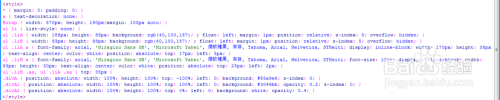
书写css代码。 <style> * { margin: 0; padding: 0; } a { text-decoration: none; } #wrap { width: 570px; height: 190px;margin: 100px auto; } ul li { list-style: none; } ul .liA { width: 188px; height: 88px; background: rgb(40,100,187); ; float: left; margin: 1px; position: relative; z-index: 5; overflow: hidden; } ul .liB { width: 93px; height: 88px; background: rgb(40,100,187); ; float: left; margin: 1px; position: relative; z-index: 5; overflow: hidden; } ul .liA a { font-family: arial, 'Hiragino Sans GB', 'Microsoft Yahei', 微软雅黑, 宋体, Tahoma, Arial, Helvetica, STHeiti; display: inline-block; width: 170px; height: 38px; text-align: center; color: white; position: absolute; top: 17px; left: 5px; } ul .liB a { font-family: arial, 'Hiragino Sans GB', 'Microsoft Yahei', 微软雅黑, 宋体, Tahoma, Arial, Helvetica, STHeiti; font-size: 12px; display: inline-block; width: 93px; height: 30px; text-align: center; color: white; position: absolute; top: 25px; left: 2px; } ul .liB .aa, ul .liA .aa { top: 35px } .divA { position: absolute; width: 100%; height: 100%; top: -100%; left: 0; background: #85a9e8; z-index: 0; } .divA1 { position: absolute; width: 100%; height: 100%; top: 100%; left: 0; background: #3046bb; opacity: 0.2; z-index: 0; } .divA2 { position: absolute; width: 100%; height: 100%; top: 0%; left: 0; background: white; opacity: 0.4; } </style>
-
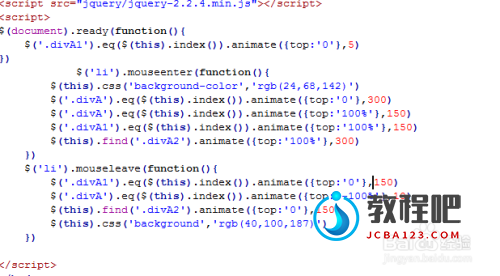
书写并添加js代码。 <script src="jquery/jquery-2.2.4.min.js"></script> <script> $(document).ready(function(){ $('.divA1').eq($(this).index()).animate({top:'0'},5) }) $('li').mouseenter(function(){ $(this).css('background-color','rgb(24,68,142)') $('.divA').eq($(this).index()).animate({top:'0'},300) $('.divA').eq($(this).index()).animate({top:'100%'},150) $('.divA1').eq($(this).index()).animate({top:'100%'},150) $(this).find('.divA2').animate({top:'100%'},300) }) $('li').mouseleave(function(){ $('.divA1').eq($(this).index()).animate({top:'0'},150) $('.divA').eq($(this).index()).animate({top:'-100%'},10) $(this).find('.divA2').animate({top:'0'},150) $(this).css('background','rgb(40,100,187)') }) </script>
-
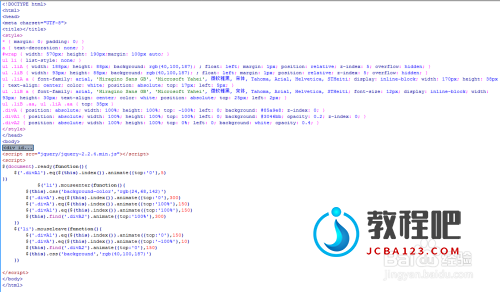
代码整体结构。
-
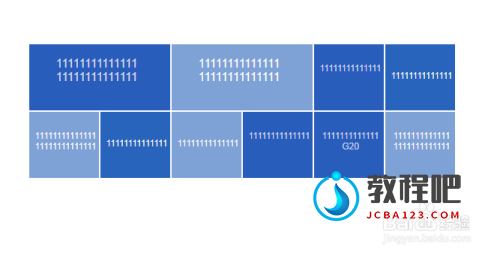
查看效果。
 END
END