SSH客户端 NetSarang Xmanager Power Suite 7.0.0004 Xftp Xlpd Xmanager Xshell
Xshell是一款功能强大的终端模拟器,支持SSH,SFTP,TELNET,RLOGIN和SERIAL。它提供业界领先的性能和功能集,而这些功能集在其免费选择中不可用。企业用户将会发现有用的功能包括选项卡式环境,动态端口转发,自定义键映射,用户定义的按钮,VB脚本以及用于显示2字节字符和国际语言支持的UNICODE终端。
Xshell提供了许多用户友好的功能,这些功能在其他终端仿真器中不可用。这些功能包括通过拖放Zmodem文件上传,通过选择文件名,简单模式,全屏模式,透明度选项和自定义布局模式下载Zmodem文件。使用Xshell执行终端任务时节省时间和精力。
替换不安全的远程登录客户端。
Xshell支持VT100,VT220,VT320,XTERM,LINUX,SCOANSI和ANSI终端仿真,并提供各种终端外观选项替代传统的远程登录客户端。
支持X11和任意TCP / IP应用程序的安全连接。
Xshell通过SSH隧道机制支持端口转发功能,因此所有TCP / IP应用程序都可以共享安全连接,而无需对程序进行任何修改。
不要让别人偷看你的信息
Xshell支持各种安全特性,例如SSH1 / SSH2协议,密码和DSA / RSA公钥用户认证方法,并使用各种加密算法加密所有流量。使用内置的Xshell安全功能保证您的数据安全至关重要,因为传统的连接协议(如TELNET和Rlogin)会使您的网络流量容易受到具有网络知识的任何人的影响。Xshell将帮助你保护你的数据免受黑客攻击。
最好的终端模拟器用户体验
终端用户通常必须在任何给定的时间使用多个终端会话,并需要将终端输出与许多不同的主机进行比较,或向它们发送相同的一组命令。Xshell旨在解决这些问题。通过选项卡式环境,分割窗口,同步键输入和会话管理等各种用户便利功能,您可以节省时间并更快地完成更多工作。
多个语言在一个单一的屏幕?Xshell随时准备就绪
Xshell是第一款具有基于UTF-8的终端的同类产品。借助Xshell,可以在单个屏幕上显示多种语言,而且不需要在不同的语言编码之间切换。随着越来越多的企业开始采用UTF-8格式提供服务,数据库和应用程序,对支持UTF-8编码的终端仿真器的需求日益增加。Xshell可以帮助您处理多语言环境。
Xshell 功能介绍
1、新增全局主密码保护已连接服务器的会话文件, 如果没有主密码即使会话文件被泄露攻击者亦无法登陆。主密码实际是解决去年维基解密爆料的CIA通过植入后门程序的方式盗取 XShell 会话文件攻击服务器。
2、多主题体验
新增明亮和暗色两种新的主题模式,现在可以根据需要选择Xshell的颜色和整体主题,选择默认的有三种主题样式,同时用户也可以切换回v5 版那种传统的主题。
3、会话管理器
最大的改变是加入了会话管理器面板,分栏方便快速连接服务器,用户可以轻松创建、编辑和删除会话文件。现在,会话管理的所有方面以及同时启动多个会话的功能都可以通过会话管理器在Xshell中访问。
4、可停靠的UI
会话管理器窗口、编辑窗口和其他窗扣可以停靠在Xshell的主窗口中。这为Xshell的可定制配置提供了更多的功能。用户可以简单地拖放窗口。
5、支持SSH PKCS#11
PKCS#11协议使用户能够使用硬件令牌(HSM)安全地存储私钥,支持诸如硬件令牌和智能卡等设备安全的存储用户使用的密钥以提高安全性。
6、编辑窗口
以前,Xshell只能使用编辑栏向终端发送一行准备好的字符。Xshell 6引入了组合窗口,用户能够准备多行脚本或字符串,并同时将其传送到当前会话或多个会话中。
7、突出显示
Xshell 6允许用户使用自定义的文本和背景颜色来区分终端的字符串输出。用户可以轻松地管理他们想要突出显示的关键字,也可以创建分组,以便在特定情况下使用设置的关键字。
8、ASCII和非ASCII(中文,韩文等)字符的独立字体集成
常,在某些窗口中,即使使用相同的字体,ASCII字符和非ASCII字符的大小也可能不同。在Xshell 6中,用户可以为不同的语言指定不同的字体,从而获得更加一致和稳定的终端输出。
9、在网上搜索所选文本
任何在Xshell 6终端中选择的字符串都可以通过用户定义的搜索引擎立即在网上搜索。
10、各种铃声/闹铃选项
当监视远程服务器时,用户设置警报以通知他们任何改变、错误等。仅使用基于字符串的警报可能不足以吸引用户。Xshell 6的铃声选项提供了各种声音和屏幕效果,以确保用户可以及时得到提醒。
11、稳定性和性能增强工具
增强了跟踪消息的功能,并添加了更多的日志记录选项以便用户可以更高效地识别和诊断连接问题。
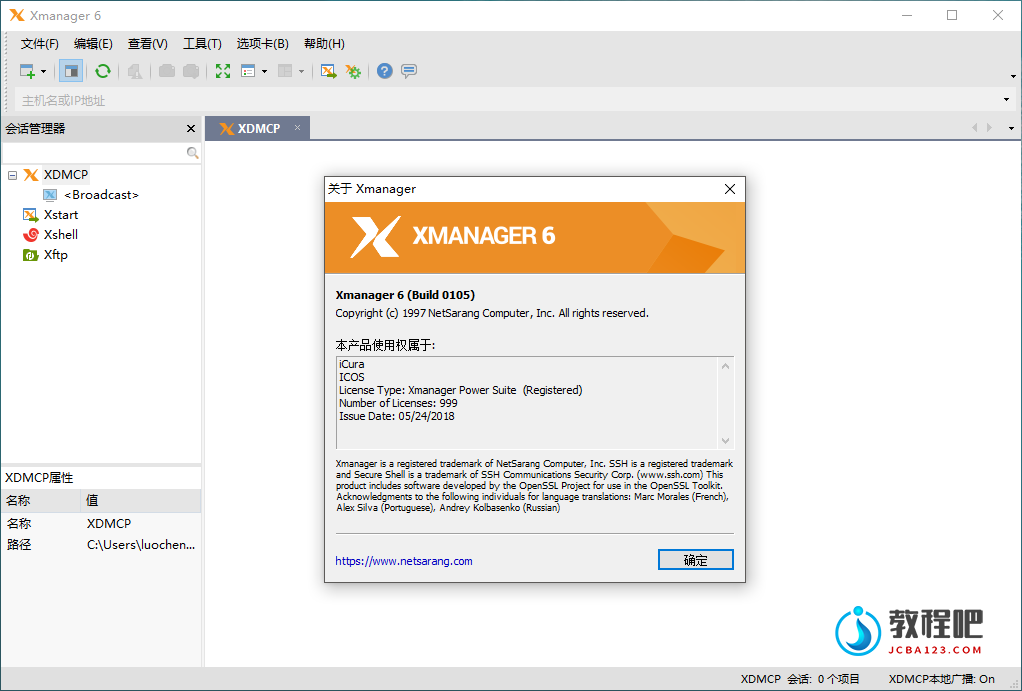
Xmanager Power Suite is the complete network connectivity suite. The suite includes: Xmanager (high performance PC X server); Xshell (powerful SSH client); Xftp (SFTP/FTP client); Xlpd (a print job management tool).
Features
All-in-One UNIX/Linux & Windows Integration Solution
- Xmanager Power Suite is an all-in-one solution that includes Xmanager, Xshell, Xftp and Xlpd in a single suite. Xmanager runs X window applications, and Xshell manages remote Unix/Linux servers with a secure terminal. Xftp transfers files between systems securely, and Xlpd runs local printing for remote documents on other systems.
- Xmanager Power Suite = Xmanager(Bring UNIX/Linux X applications to your PC with Xmanager) + Xshell(Manager remote UNIX/Linux servers securely with Xshell) + Xftp(Upload or donload files safely and easily with Xftp) + Xlpd(Print remote documents from a local printer with Xlpd)
Centralize Scattered System Resources and Reduce TCO
- Companies using various operating systems may find their system resources scattered over the network due to multiple X applications and file systems. Xmanager Power Suite 6 solves this issue by allowing users to access all scattered resources directly from their desktop. Having a central location that allows users to access applications remotely, upgrades and maintenance become easily manageable and reduce TCO.
Interoperability for Maximum Productivity
- All programs included in this suite share a common SSH (Secure Shell) security module to interoperate with one another conveniently and efficiently. With all the various features integrated into a single suite, customers can experience an easier time with purchase, installation, maintenance, as well as a reduced total cost of ownership.
Bring the Power of X to Windows
Xmanager is the market’s leading PC X server which brings the power of X applications to a Windows environment. With Xmanager, X applications installed on remote UNIX based machines run seamlessly with Windows application side by side. It provides a powerful session management console, easy-to-use X application launcher, X server profile management tool, SSH module, and a high performance PC X server for securely accessing a remote and virtualized UNIX and Linux environments.
-
- Superior Performance
- When utilizing a PC X server, precision and speed are essential. Xmanager 6 is based on the High-performance X11R7 PC X server and includes support for multiple X extensions for maximum usability. Support for up to 128 X client connections means you get all the power with near limitless restrictions.
-
- Connect Safely from Anywhere
- Xmanager 6’s Secure XDMCP provides all the benefits of regular XDMCP without any of its inherent security risks. Access business critical tasks remotely and securely even if they’re located behind a firewall or within a private network. Take advantage of features like Host Access Control, Master Password, GSSAPI/PKCS#11 Support, and more to ensure only authorized users have access to your data.
-
- Share X Applications
- X applications that run on UNIX server systems such as CAD/GIS can be shared by multiple individuals utilizing Xmanager 6. Optimize your network infrastructure while maximizing security.
-
- Windows and UNIX/Linux Integration
- With Xmanager 6, you can bring entire UNIX/Linux desktop environments to your Windows PC. Or use the built in Xstart tool to quickly access single X applications and have them run side-by-side with your Windows applications.
Home Page: https://www.netsarang.com
下载地址
SSH客户端 NetSarang Xmanager Power Suite 7.0.0004
包含:Xftp、Xlpd、Xmanager、Xshell
https://pan.quark.cn/s/5e4ddc9bafed
https://www.123pan.com/s/PjcA-vfRRA.html
http://ctfile.luochenzhimu.com/d/13552432-59632327-572fd2
https://pan.baidu.com/s/1-iNKXzOKg6GYbVYFweWvbA?pwd=qexp