视频编辑 Apeaksoft Studio Video Editor v1.0.30
Apeaksoft Video Editor 是一个专业的一对一视频编辑软件,旋转、剪辑、裁剪、水印和转换视频/音频文件,得到你需要的、满意的精美视频、音频。
功能特点
1、一个简单、专业的视频编辑器使你的视频完美
您可以自定义您的视频通过多个编辑功能,并获得更好的质量视频在几分钟内。
编辑视频/音频
这个优秀的视频编辑软件可以编辑MP4、MOV、FLV、AVI、MTS、M2TS、MP3、AAC、WAV等文件。
提高视频效果
作为一个用户友好的视频编辑器,你可以提前编辑你的视频像剪辑,作物,旋转,水印,添加效果等。
转换视频/音频
不仅是灵活的视频编辑器,程序也可以是视频转换器,在您编辑视频和音频文件之后。
2、自由旋转视频
感觉很费时,编辑视频文件与LITWORKS,HT电影快递,达芬奇决心,Shotcut或其他困难的视频编辑器。ApaKaScript视频编辑器是不同的。它能灵活地编辑你的视频。它是如何工作的?使用这个优秀的视频编辑程序来旋转或翻转你喜欢的视频。根据你的需要顺时针或逆时针旋转视频90,以适应各种类型的玩家,让你得到更好的体验。此外,它还允许您垂直或水平地翻转视频。
3、裁剪,剪辑和加入您的视频
ApaKaScript视频编辑器足以让你处理视频编辑。有了它,你可以轻松地裁剪,剪辑,加入或水印视频,你喜欢。
裁剪
当你想摆脱恼人的信箱或想要得到特写为你最喜欢的视频,这个裁剪特色可以真正帮助你。
削减
本程序为您提供基本剪辑和高级剪辑。在这里你可以剪辑一个视频或音频文件,并把视频或音频文件合为一体。
合并
想把你的视频或音频剪辑合并成一个文件吗?可以加载多个视频文件或音频文件来合并媒体文件。
4、增强你的视频
使用免费视频编辑程序自由调节亮度、对比度、饱和度、色调和音频音量。
您可以添加文本或图像,以便在共享之前为自己的视频创建自己的特定水印。
这个有用的视频编辑器提供预览窗口,你可以检查效果并及时调整。
你可以升级分辨率,自动优化亮度和对比度,消除视频噪音,减少视频抖动。
视频编辑器应该很容易使用,界面友好,比许多在线视频编辑器更安全地保护你的隐私。
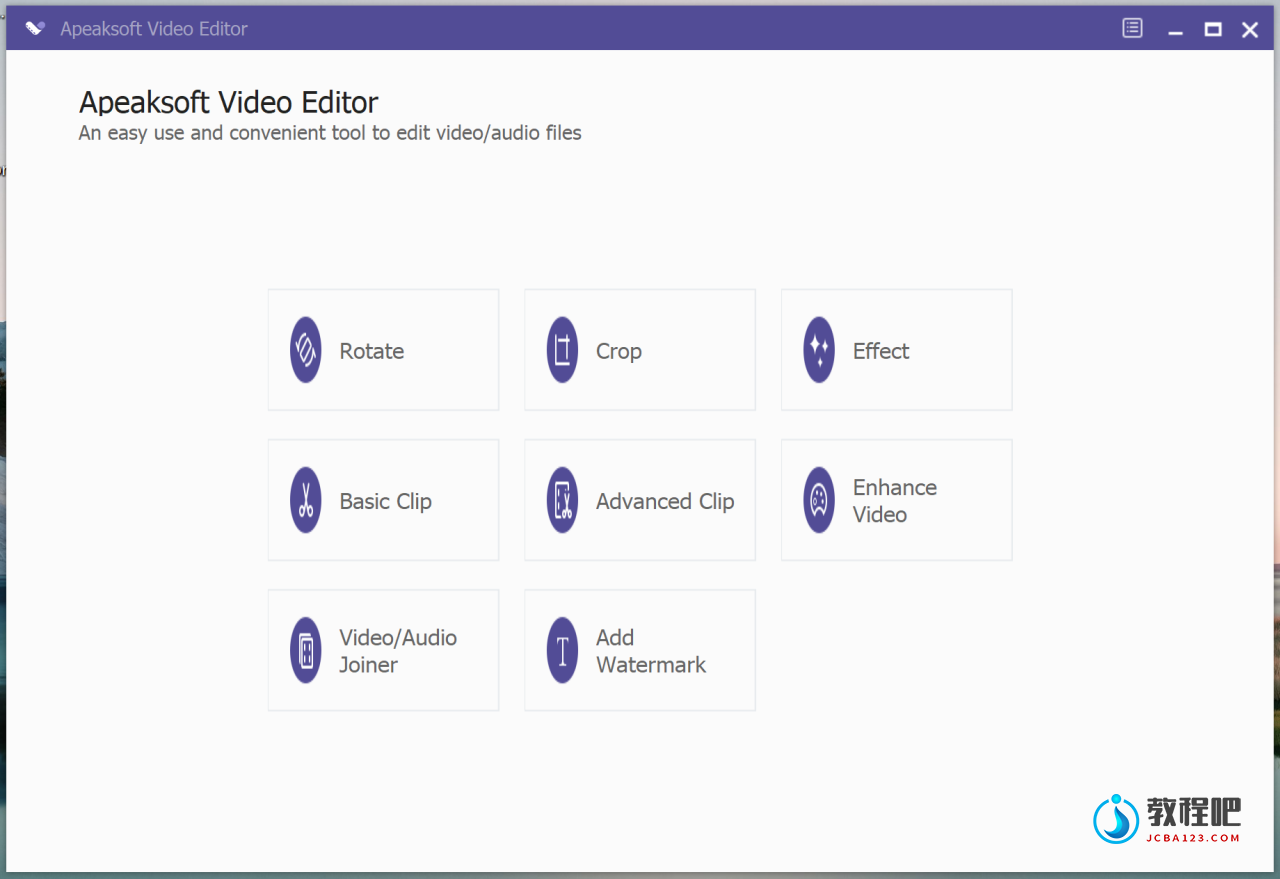
Video Editor
One professional all-in-one video editing software to rotate, clip, crop, watermark and convert
video/audio files on your computer.
AN EASY AND PROFESSIONAL VIDEO EDITOR MAKES YOUR VIDEOS PERFECT
You can customize your video through multiple editing features and get a better-quality video in minutes.
EDIT VIDEO/AUDIO
This excellent video editing software lets you edit files in MP4, MOV, FLV, AVI, MTS, M2TS, MP3, AAC, WAV, etc.
IMPROVE VIDEO EFFECT
To be a user-friendly video editor, you are able to edit in advance your video like clip, crop, rotate, watermark, add effects, etc.
CONVERT VIDEO/AUDIO
Not only as the flexible video editor, the program can also be a video converter after you edit the video and audio files.
ROTATE VIDEO FREELY
Feel it time-consuming to edit video files with Lightworks, Hitfilm Express, Davinci Resolve, Shotcut or other difficult video editors. Apeaksoft Video Editor is different. It is capable of editing your video flexibly. How does it work? Use this excellent video editing program to rotate or flip the video as you like. Rotate video 90 clockwise or 90 counterclockwise according to your need to suit kinds of players and let you get a better experience. Also, it also allows you to flip video vertically or horizontally.
CROP, CLIP & JOIN YOUR VIDEO CONVENIENTLY
Apeaksoft Video Editor is enough for you to deal with video editing. With it, you are able to easily crop, clip, join or watermark video as you like.
When you want to get rid of annoyed letterbox or want to get the close-up for your favorite video, this crop feature can really help you.
This program offers you Basic Clip & Advanced Clip. Here you can clip one more video or audio files, and put the video or audio files into one.
Want to merge your video or audio clips into one file? You can load more than one video or audio file to merge the media files.
ENHANCE YOUR VIDEO
• Use the free video editing program to freely adjust the brightness, contrast, saturation, hue as well as audio volume.
• You can add text or images to create your own specific watermark for your own video before you share it.
• This useful video editor provides the preview window and you are able to check the effects and make adjustments in time.
• You are able to upscale resolution, automatically optimize brightness & contrast, remove video noise and reduce video shaking.
• The video editor should be very easy to use with user-friendly interface, and safer to protect your privacy than many online video editors.
Home Page: https://www.apeaksoft.com/video-editor/
下载地址
视频编辑 Apeaksoft Studio Video Editor v1.0.30
https://www.123pan.com/s/PjcA-peDRA.html
http://ctfile.luochenzhimu.com/d/13552432-61159705-18ef46
https://pan.baidu.com/s/166Yly-tsnDmXH6Z4jzLymg?pwd=clcc
https://pan.xunlei.com/s/VNxIo4oT5Z2jZX-Twz-FO6_QA1?pwd=6nf7#
官方下载:https://download.apeaksoft.com/video-editor.exe