数据可视化 Tableau Desktop 2023.1.0 (x64)
Tableau Desktop 是让您的工作保持流畅的数据分析工具。 它易于学习,便于使用,比现有的解决方案快出 10 到 100 倍。 Tableau Desktop 基于突破性的技术,能够将数据图片转化为数据库查询。 利用视觉观察图案的天赋能力,识别趋势,在数秒内发现可视化的真知灼见。 无需向导,无需脚本。
以风驰电掣的速度发现见解。
无需编写任何代码,就能连接到您的数据并执行查询。 利用拖放技术在视图之间切换时,实时保持流畅分析状态。 无论是存储在云中数 PB 的数据,还是数十亿行数据,Tableau 都能紧跟您的工作步伐。它是人人都能使用的自助式分析。
无论是实时还是内存读取,均可在数秒内打开数据。
直接连接到您的数据,展开实时分析,发挥数据仓库潜力。 或者将您的数据提取到 Tableau 超快的数据引擎,充分发挥突破性内存内部架构的性能。 或者两者同时进行,不管是 2 个、3 个还是 10 个不同的数据源,都能将其混合起来。 这取决于您,依据您的数据情况而定。
利用美观的仪表板,分享您的见解。
利用数据推动决策。 将多个视图整合在交互式仪表板中。 突出显示和筛选数据,展现关系。 将具体见解串连成一个叙事线索,讲述您数据背后的原因所在。 使用基于 Web 的 Tableau Server 或 Tableau Online 共享内容。 创建以数据为导向的文化。
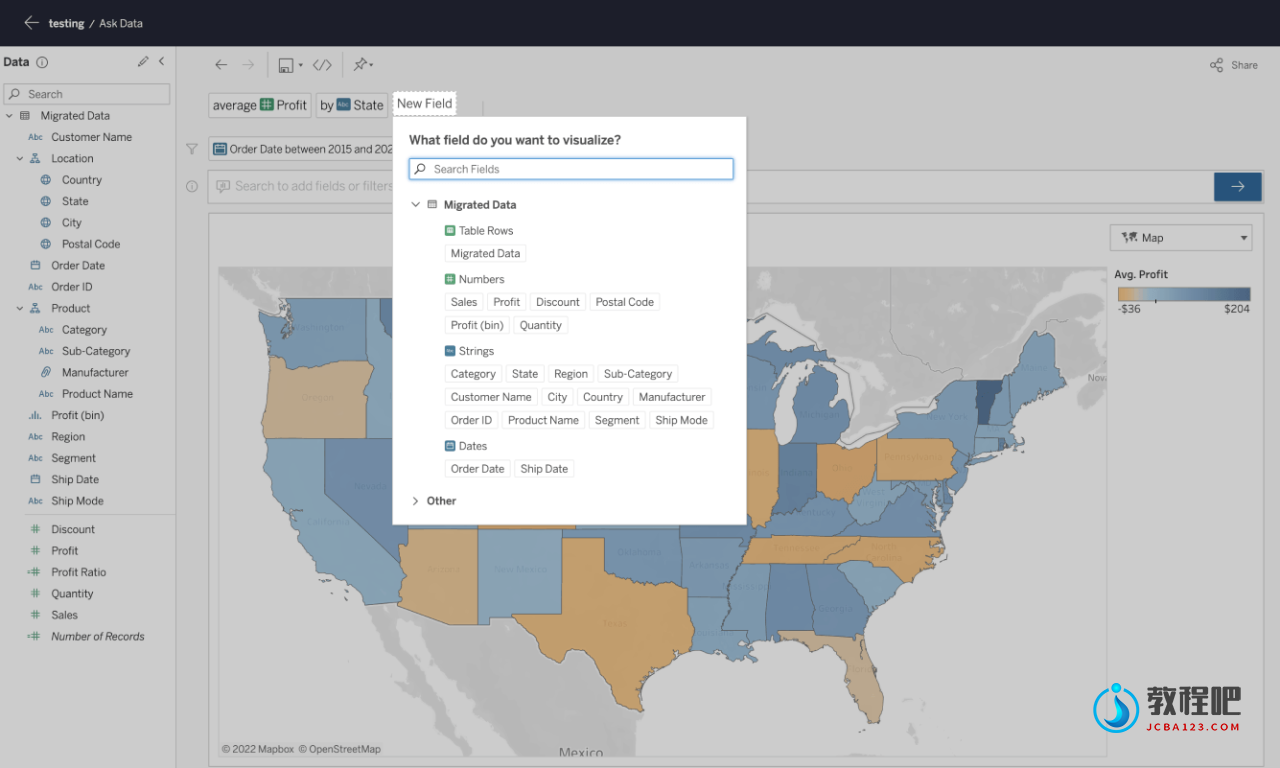
Answer questions at the speed of thought with Tableau Desktop
Get actionable insights fast
Leave chart builders behind. Live visual analytics fuel unlimited data exploration. Interactive dashboards help you uncover hidden insights on the fly. Tableau harnesses people’s natural ability to spot visual patterns quickly, revealing everyday opportunities and eureka moments alike.
Connect to more data
Connect to data on prem or in the cloud—whether it’s big data, a SQL database, a spreadsheet, or cloud apps like Google Analytics and Salesforce. Access and combine disparate data without writing code. Power users can pivot, split, and manage metadata to optimize data sources. Analysis begins with data. Get more from yours with Tableau.
Answer deeper questions
Exceptional analytics demand more than a pretty dashboard. Quickly build powerful calculations from existing data, drag and drop reference lines and forecasts, and review statistical summaries. Make your point with trend analyses, regressions, and correlations for tried and true statistical understanding. Ask new questions, spot trends, identify opportunities, and make data-driven decisions with confidence.
Put your data on the map
Answer the “where” as well as the “why.” Create interactive maps automatically. Built-in postal codes mean lightning-fast mapping for more than 50 countries worldwide. Use custom geocodes and territories for personalized regions, like sales areas. We designed Tableau maps specifically to help your data stand out.
Let everyone in on it
Ditch the static slides for live stories that others can explore. Create a compelling narrative that empowers everyone you work with to ask their own questions, analyzing interactive visualizations with fresh data. Be part of a culture of data collaboration, extending the impact of your insights.
Get even more from Tableau Desktop.
Big data, live or in-memory
When you want to take data offline or bring it in-memory, Tableau lets you extract massive data for limitless exploration in seconds. It combines advances in database and computer graphics technology so you can analyze huge datasets on a laptop.
Sharing and collaborating securely
Communicate with data in a whole new way. Share visualizations and underlying data securely using Tableau Server or Tableau Online. Create an environment where everyone in your organization can share and collaborate on trusted data.
Designing for a mobile-first world
Your content needs to perform at any size, on any device. Device designer is our simple, yet powerful tool that helps you design, customize, and publish optimized dashboards for desktop, tablet, and phone.
Always innovating
Tableau’s software moves as fast as you do. There’s a reason that the award-winning research scientists, design gurus, and visualization experts choose Tableau. We invest more in R&D than anyone else in the industry, so there’s always a new release around the corner.
Home Page: https://www.tableau.com/
下载地址
数据可视化 Tableau Desktop 2023.1.0 (x64)
https://www.123pan.com/s/PjcA-RcDRA.html
http://ctfile.luochenzhimu.com/d/13552432-61145281-9f3f22
https://pan.baidu.com/s/1BZofMjxhnnsUwuxgWpi9Vw?pwd=8jmj
https://pan.xunlei.com/s/VNxDnWd1k76q9hL8ynCqPhMMA1?pwd=sct2#