十六进制编辑修改工具 FlexHEX v2.6.0
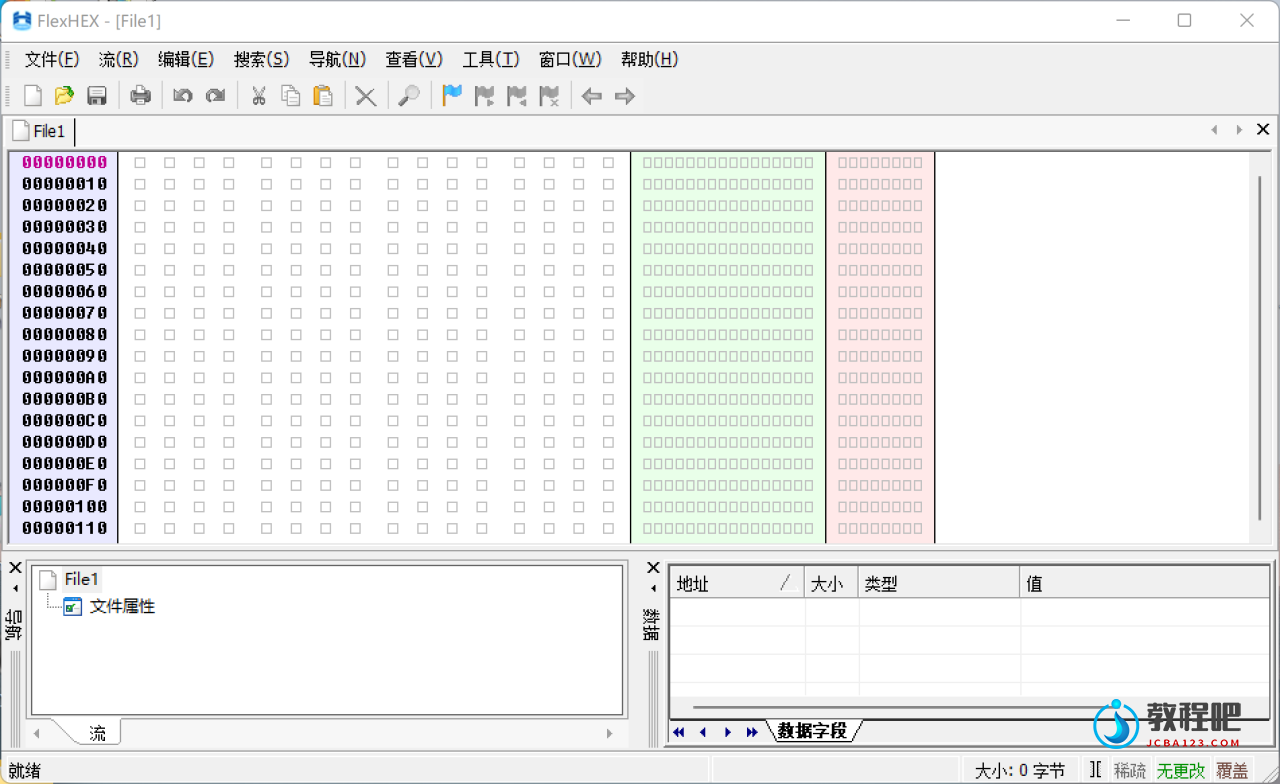
FlexHEX Editor 是一款非常好用的十六进制编辑软件。您使用FlexHEX这款高级的十六进制编辑器可以直接编辑二进制文件,逻辑设备和物理驱动器。使用该软件你可以检查,修改,插入,搜索或者替换二进制,ASCII或者Unicode数据。
FlexHEX Editor 十六进制编辑软件包括撤销操作列表浏览器,快速数据浏览器,修改跟踪器,数据测试区,字符串和GUID搜索以及校验和计算这样的功能。软件支持无限的 Undo/Redo功能因此用户不必担心输入错误导致文件损坏。
The Hex Editor That Can Do More
FlexHEX is a full-featured hex editor designed to edit binary files, OLE compound files, logical devices, and physical drives. With FlexHEX you can inspect, modify, insert, search, or replace binary, ASCII, or UNICODE data.
In addition to the powerful editing functions, FlexHEX includes an unlimited Undo/Redo feature, so you are never at risk of losing your data because of a typing error.
Powerful navigation and tracking functions make browsing binary data easy and convenient. File navigation cannot be simpler – you can always keep track of your position with bookmarks, area lists, jump history, and other handy tools.
No matter whether your file is huge or tiny, FlexHEX handles it equally efficiently. You can open, save, paste, or drag-and-drop hundreds gigabytes of data in a wink of an eye.
FlexHEX provides full support for advanced NTFS features, such as alternate streams or sparse files. Now you can edit the hidden data other hex editors simply can’t see!
FlexHEX has been designed to fill the needs of software professionals and you will find it powerful, convenient, and behaving exactly the way you expect it to.
So Why FlexHEX?
- Easy and intuitive user interface makes hex editing a breeze,
- A rich set of features to satisfy the most demanding users,
- Native support for huge files up to NTFS theoretical limit. No matter how large the file is, FlexHEX handles it fast and efficiently.
- Logical and physical disk editing,
- Unique features no other hex editor offers: OLE compound files, NTFS alternate streams, sparse files, and more!
Home Page: http://www.flexhex.com/
下载地址
十六进制编辑修改工具 FlexHEX v2.6.0
落尘之木:https://pan.luochenzhimu.com/disk/software/FlexHEX/
百度网盘:https://pan.baidu.com/s/1-LOK-xxB7lcOuGeCJ1DYww