文本编辑器 Emurasoft EmEditor Professional v24.1.1
EmEditor 文本编辑器是一款功能强大且非常好用的文本编辑器!它启动速度快,可以完全代替Windows自带的记事本,足以胜任日常的文本编辑工作。良好地支持Unicode和中文字符,还支持20多种编程语言的语法突出显示。并且支持的语法种类可以不断的扩充。具有选择文本列块的功能(按ALT 键拖动鼠标)。此专业版,增强了程序的编辑功能,使其更适合编程人员对个别程序代码进行编辑修改。允许无限撤消、重做。支持多种编程语言的高亮显示(可作为简易的 IDE 使用)。
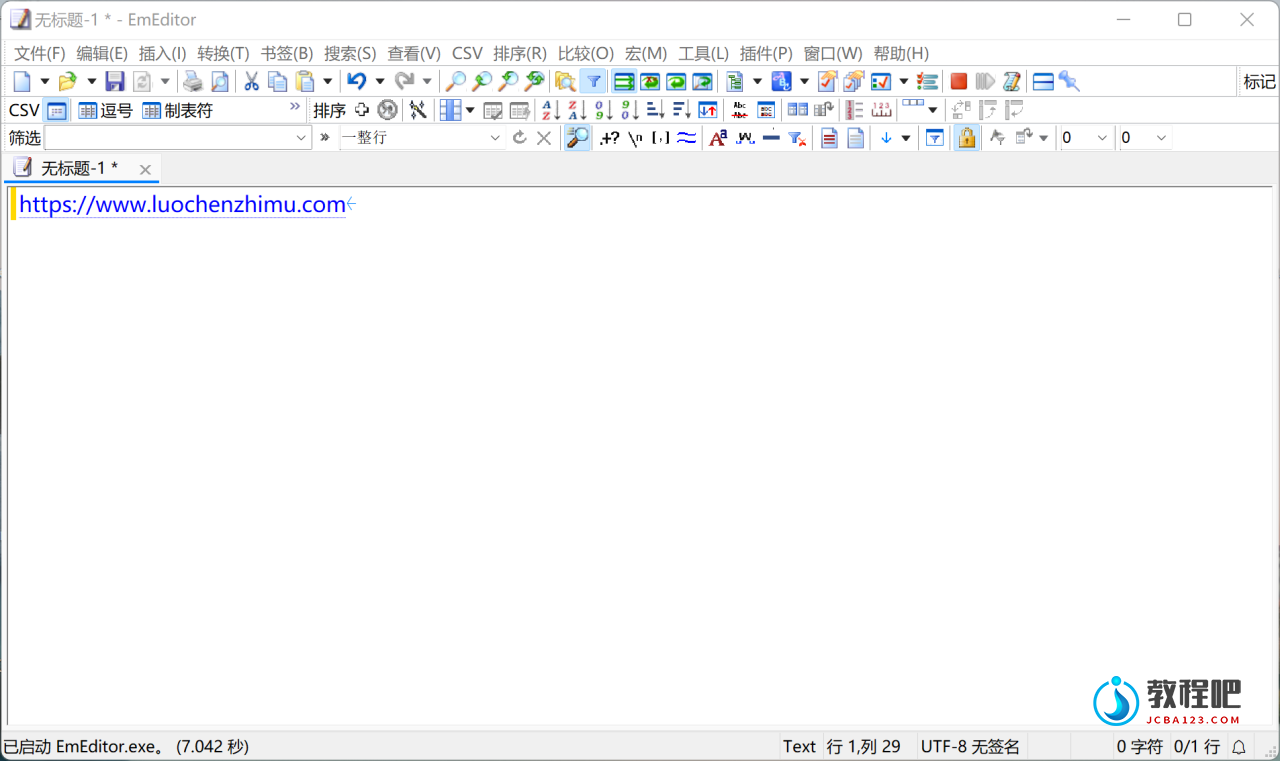
EmEditor Professional – professional version of the powerful text editor for programmers, Web developers and ordinary users with the illumination of syntax and Unicode support. Editor features such as search and replace in files using regular expressions, auto-detection coding, highlighting the links and email addresses, block selection mode, configure the button bar, menu, font and color elements. For each language, you can create a separate configuration. The program also has the support of powerful macros written in javascript or VBScript, allowing you to capture virtually any action, used often or occasionally.
This editor is an ideal tool for editing HTML, PHP, JSP and XML files. When you specify a web browser as an external application, you will be able to view HTML files during editing.
Supports syntax highlighting ASP, C #, C, CSS, HTML, Java, javascript, JSP, Pascal (Delphi), Perl, Python, PHP, SQL, VBScript and other programming languages, function Drag & Drop, opening files size up to 248 GB the possibility of connecting additional external applications and plug-ins. In addition, the program allows to work with macros written in javascript or VBScript, and based on the Windows Scripting Host (WSH) engine, allows you to automate virtually any action. Adjustable backlight HTML and scripting languages makes it easy to detect spelling errors and typos.
Features:
• Support for file sizes up to 248 GB
• Edit binary files
• Optimized search and relocation
• Improved design plug-ins
• Ability to display panel functions
• Optimized speed when each row has a greater length
• Auto-panning by clicking the mouse wheel
• Supports Drag and drop
• Specify the temporary folder in the program settings
• Import INI files in the registry
• Unicode
• Syntax highlighting for ASP, C, CSS, HTML, javascript, JSP, Pascal, Perl, Python, PHP, SQL, VBScript and other
• User-friendly interface with customizable toolbar
EmEditor Professional Features List:
* Large File Support
* Unicode Support
* Macros
* Vertical Selection Editing
* Tabbed Windows, Drag and Drop
* Lightweight Design
* Regular Expressions
* Binary Editing
* Crash Recovery
* Grab Text
Home Page:http://www.emeditor.com/
下载地址
文本编辑器 Emurasoft EmEditor Professional v24.1.1
https://www.123pan.com/s/PjcA-NcDRA.html
http://ctfile.luochenzhimu.com/d/13552432-61145071-1b4d7d
https://pan.baidu.com/s/18nWPrk_OSde4MaeuyIfbYQ?pwd=ed4r
https://pan.xunlei.com/s/VNxDab3XmI_nlbO6bTPjT4MWA1?pwd=3jag#