科学绘图 Systat Software SigmaPlot 15.0.0.13
Systat SigmaPlot是一款专业的科学绘图软件,可用于绘制准确、高质量的图形和曲线,支持一百多种2D、3D科学图形。2D图表如散点图、线性图、面积图、极坐标图、柱状图表、水平图表、盒状图、饼图、等高线图;3D图形如散点图、线性图、网眼图、柱状图等。
SigmaPlot还具有强大的数据统计分析功能:从简单描述统计到复杂回归分析、从基本假设检验到复杂的重复测量方差分析。具体如双单侧T检验、F检验、曲线线性、非线性拟合、残留曲线、高斯累积分布等,非线性拟合包括多项式拟合、峰形拟合、S型拟合、指数衰减、增加拟合、波形拟合、幂函数拟合、对数拟合、三维拟合。
SigmaPlot提供了直观的Ribbon界面和宏功能,极大方便绘图操作,是唯一能媲美Origin的科学绘图软件,据说绘图的精美程度远超OriginPro,不过我没发现特别的差异,可能我没有使用到高级功能,而据Origin开发者评测,OriginPro在Multi-Series Graphs方面比SigmaPlot占优势。
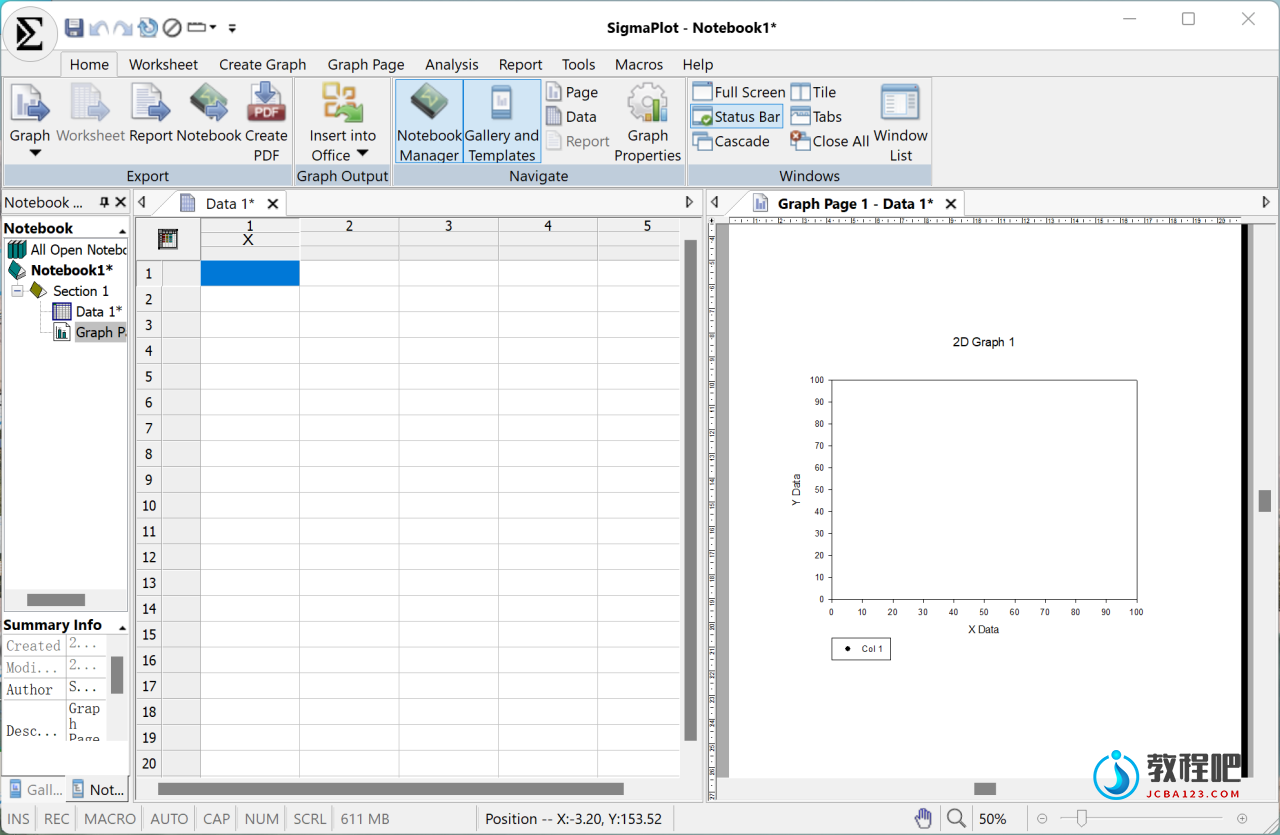
SigmaPlot Helps You Quickly Create Exact Graphs
SigmaPlot software helps you quickly create exact graphs. SigmaPlot graphing software from SYSTAT takes you beyond simple spreadsheets to help you show off your work clearly and precisely. With SigmaPlot, you can produce high-quality graphs without spending hours in front of a computer. SigmaPlot offers seamless M’zoft Office integration, so you can easily access data from M’zoft Excel spreadsheets and present your results in M’zoft PowerPoint presentations.
Graphing software that makes data visualization easy
Graph creation starts with SigmaPlot’s award-winning interface. Take advantage of industry-standard menu design, menu toolbars, right mouse button support and graph preferences. Select the graph type you want to create from the Graph Toolbar’s easy-to-read icons. The interactive Graph Wizard leads you through every step of graph creation. You get compelling, publication-quality charts and graphs in no time. SigmaPlot offers more options for charting, modeling and graphing your technical data than any other graphics software package.
Compare and contrast trends in your data by creating multiple axes per graph, multiple graphs per page and multiple pages per worksheet. Accurately arrange multiple graphs on a page using built-in templates or your own page layouts with SigmaPlot’s WYSIWYG page layout and zoom features.
More than 80 2-D and 3-D technical graph types
From simple 2-D scatter plots to compelling contour plots, SigmaPlot gives you the exact technical graph type you need for your demanding research. And, to help you see interactions in your 3-D data, SigmaPlot powerfully renders multiple intersecting 3-D meshes with hidden line removal. With so many different chart and graph types to choose from, you can always find the best visual representation of your data.
Home Page:
https://systatsoftware.com/
http://www.sigmaplot.co.uk
下载地址
科学绘图 Systat Software SigmaPlot 15.0.0.13
https://www.123pan.com/s/PjcA-5ZDRA.html
http://ctfile.luochenzhimu.com/d/13552432-61138048-aadb39
https://pan.baidu.com/s/1erESW0BfEdLf9d189adF3A?pwd=xri9
https://pan.xunlei.com/s/VNx8QAWGbBd-yNIBPexrDnMSA1?pwd=a62p#