代码编辑器 CodeLobster IDE Professional 2.5
Free PHP, HTML, CSS, JavaScript editor – Codelobster IDE
In this article, we suggest you to get acquainted with the free editor of web languages – Codelobster IDE. It is presented on the software market for a long time already, and it wins a lot of fans.
Codelobster IDE allows you to edit PHP, HTML, CSS and JavaScript files, it highlights the syntax and gives hints for tags, functions and their parameters. This editor easily deals with those files that contain a mixed content.
If you insert PHP code in your HTML template, then the editor correctly highlights both HTML tags and PHP functions. The same applies to CSS and JavaScript code, which is contained in HTML files.
The program includes auto-completion function, which greatly speeds up the programmer’s work and eliminates the possibility of errors.
Codelobster IDE provides contextual help on all supported programming languages, it uses the most up to date documentation at this moment, downloading it from official sites. So we can quickly get a description of any HTML tag, CSS attribute, PHP or JavaScript function by pressing the F1 key.
The built-in PHP debugger allows you to execute PHP scripts step by step, sequentially moving through the lines of code. You can assign check points, view the process of the work of loops, and monitor the values of all variables during the execution of the script.
You can view the HTML templates directly in the editor, highlight the interesting elements on the page and explore the associated CSS styles. HTML and CSS inspector works by the principle of all known FireBug.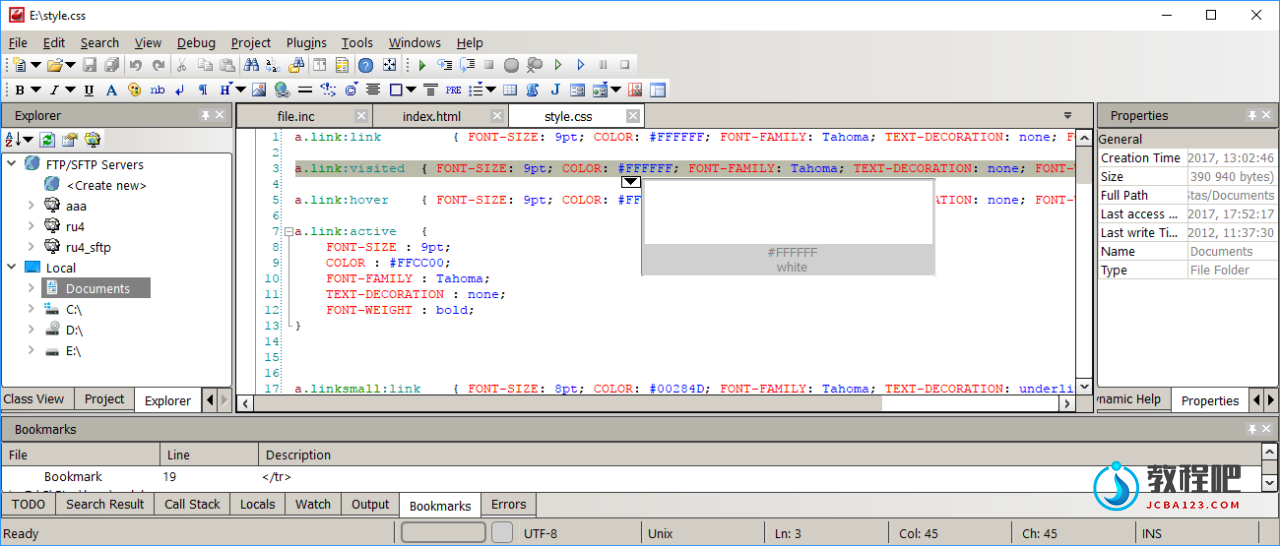
Other useful functions and features of the IDE:
- A pair highlighting of parentheses and tags – you will never have to count parentheses or quotation marks, the editor will take care of it.
- Highlighting of blocks, selection and collapsing of code snippets, bookmarks to facilitate navigation on the edited file, recognition and building of the complete structure of PHP projects – these functions ensure easy work with projects of any scale.
- Support for 17 user interface languages, among them English, German, Russian, Spanish, French and others.
- The program works on the following operation systems: Windows 7, Windows 8, Windows 10, Mac OS, Linux, Ubuntu, Fedora, Debian.
The professional version of Codelobster IDE provides the programmer with even more features.
For example, you have an opportunity to work with projects on a remote server with use of the built-in FTP client. You can edit the selected files, preview the results and then synchronize the changes with the files on the hosting.
In addition the professional version includes an extensive set of plug-ins:
- Fully implemented support for JavaScript libraries, such as jQuery, Node.js, AngularJS, BackboneJS and MeteorJS.
- A large set of extensions that help to work with PHP frameworks – CakePHP, CodeIgniter, Laravel, Phalcon, Smarty, Symfony, Twig and Yii plug-ins.
- Plugins for working with the most popular CMS – Drupal, Joomla, Magento and WordPress.
We can download and install any framework directly from the program without being distracted from the main tasks.
In general, for a year of work, our team had no complaints against the editor. Codelobster IDE works fast, does not hang and allows us to work even with large PHP projects.
Supported OS: Windows 7, Windows 8, Windows 10, MacOS, *nux
Supported interface languages: English, German, French, Italian, Spanish, Russian, Chinese, Japanese, Portuguese, Hungarian, Czech, Slovak, Turkish, Persian
Home Page: https://codelobsteride.com/
下载地址
代码编辑器 CodeLobster IDE Professional 2.5 Win
https://www.123pan.com/s/PjcA-tZDRA.html
http://ctfile.luochenzhimu.com/d/13552432-61137880-45474d
https://pan.baidu.com/s/1PiMjnTxLQL72yJ1f5fNTJQ?pwd=mkmi
https://pan.xunlei.com/s/VNx8E1-Xf_ucQU3ZHFA0jjqNA1?pwd=zbiv#
官方下载:
https://codelobsteride.com/download/CodeLobsterIDESetup.exe
https://codelobsteride.com/download/CodeLobsterIDE.dmg
https://codelobsteride.com/download/codelobsteride-2.5.0_amd64.deb
https://codelobsteride.com/download/codelobsteride-2.5.0-1.x86_64.rpm
代码编辑器 Codelobster IDE v1.0.0
落尘之木网盘:https://pan.luochenzhimu.com/disk/software/CodelobsterIDE/CodeLobsterIDE_v1.0.0/
百度网盘:https://pan.baidu.com/s/1KFRDV6nGxQGf4tnWrQMS3w